Starter
Save 20%A little room to explore.
$1.55per credit
$23.20 / mo USD billed yearly
180 credits / year
- All staging styles
- Private projects and photo storage
- Download your completed results
AI virtual staging
Upload a photo of the empty room, choose a style, and download a virtually staged version for your listing. No furniture to move, no photo shoot to book.
Already have an account?
3 free stagings. No credit card. Credits never expire.
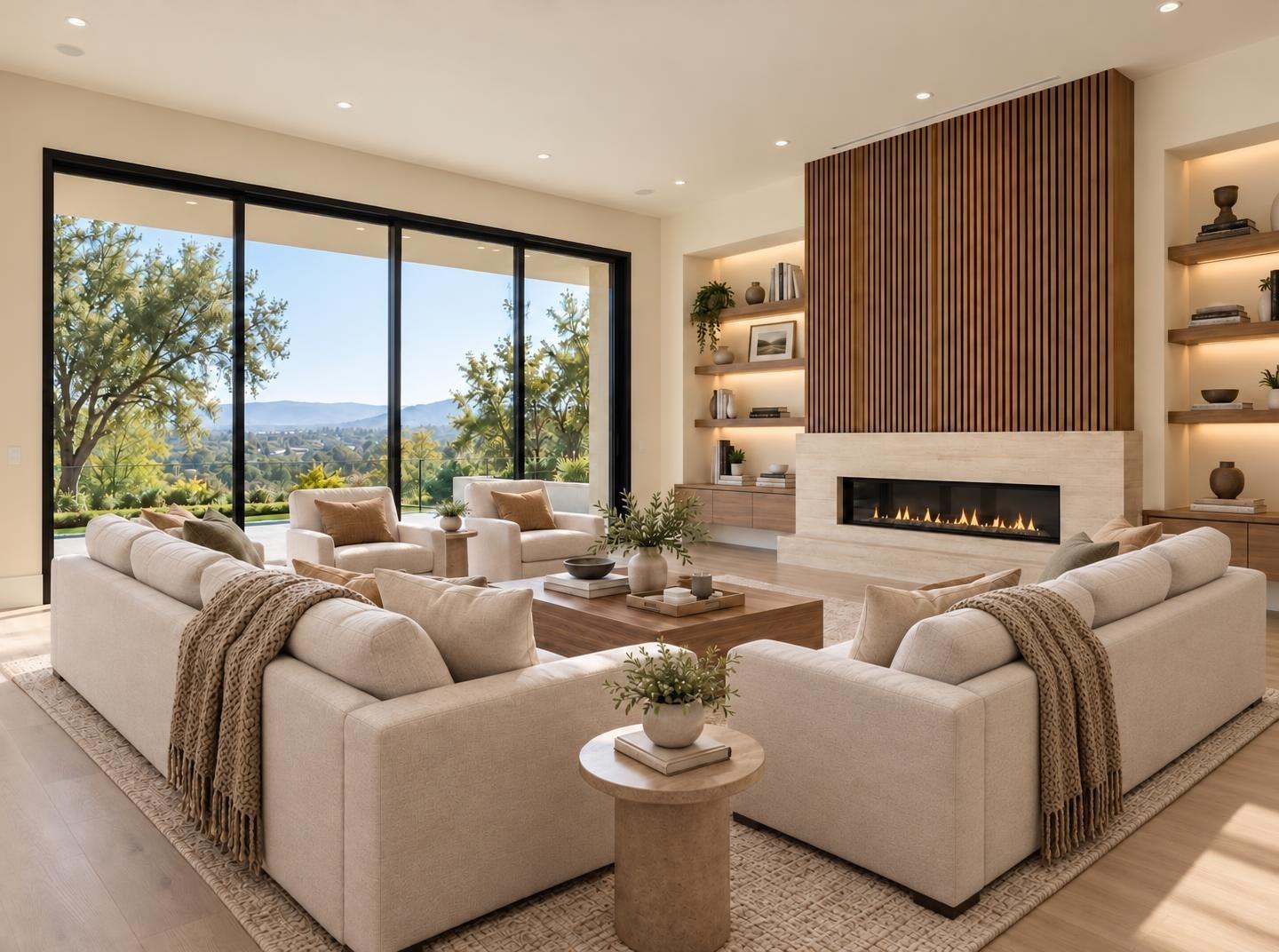
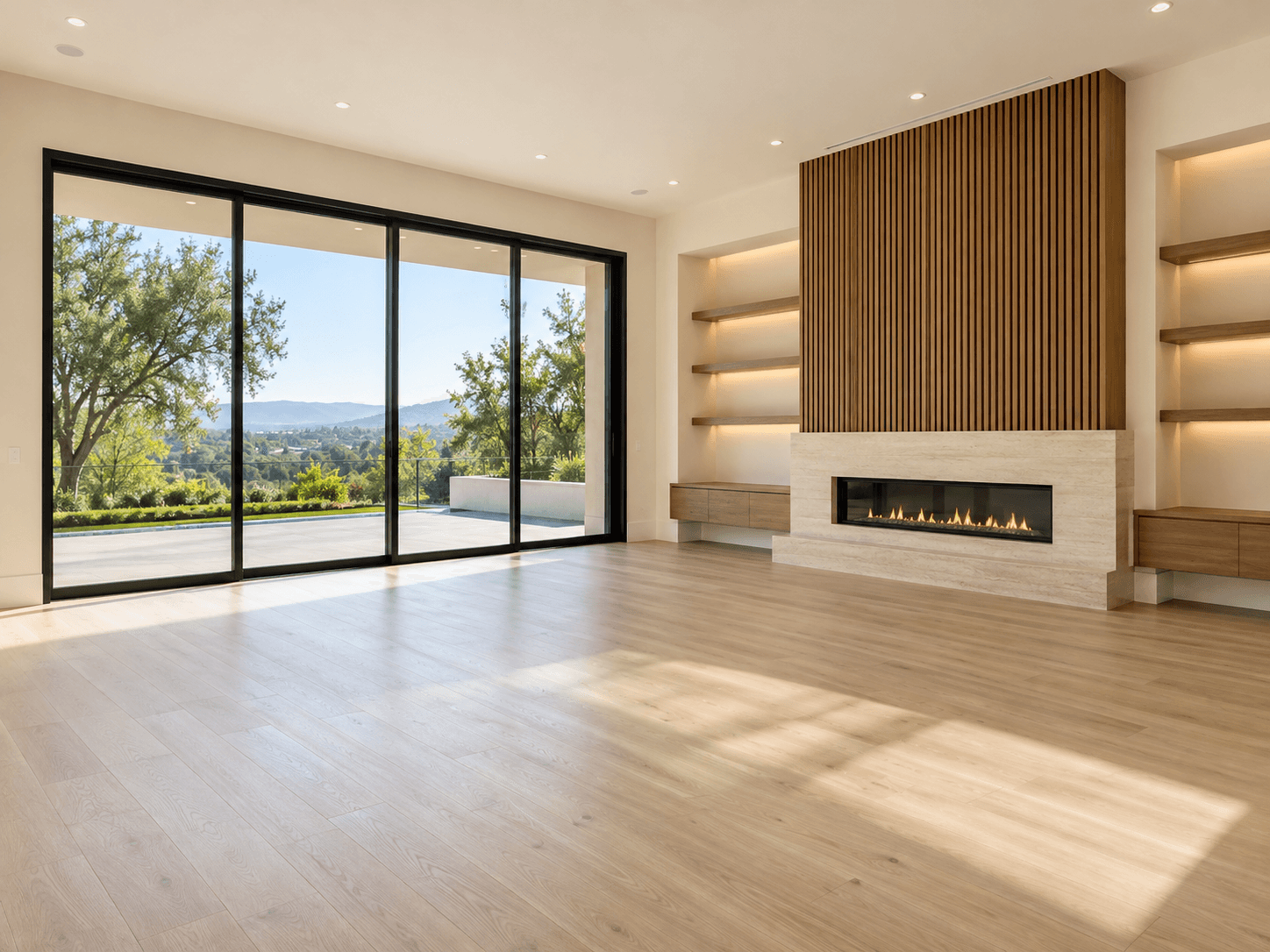
Examples
These are Examples of what Maisonoble produces from a supplied photo. They are not customer results.
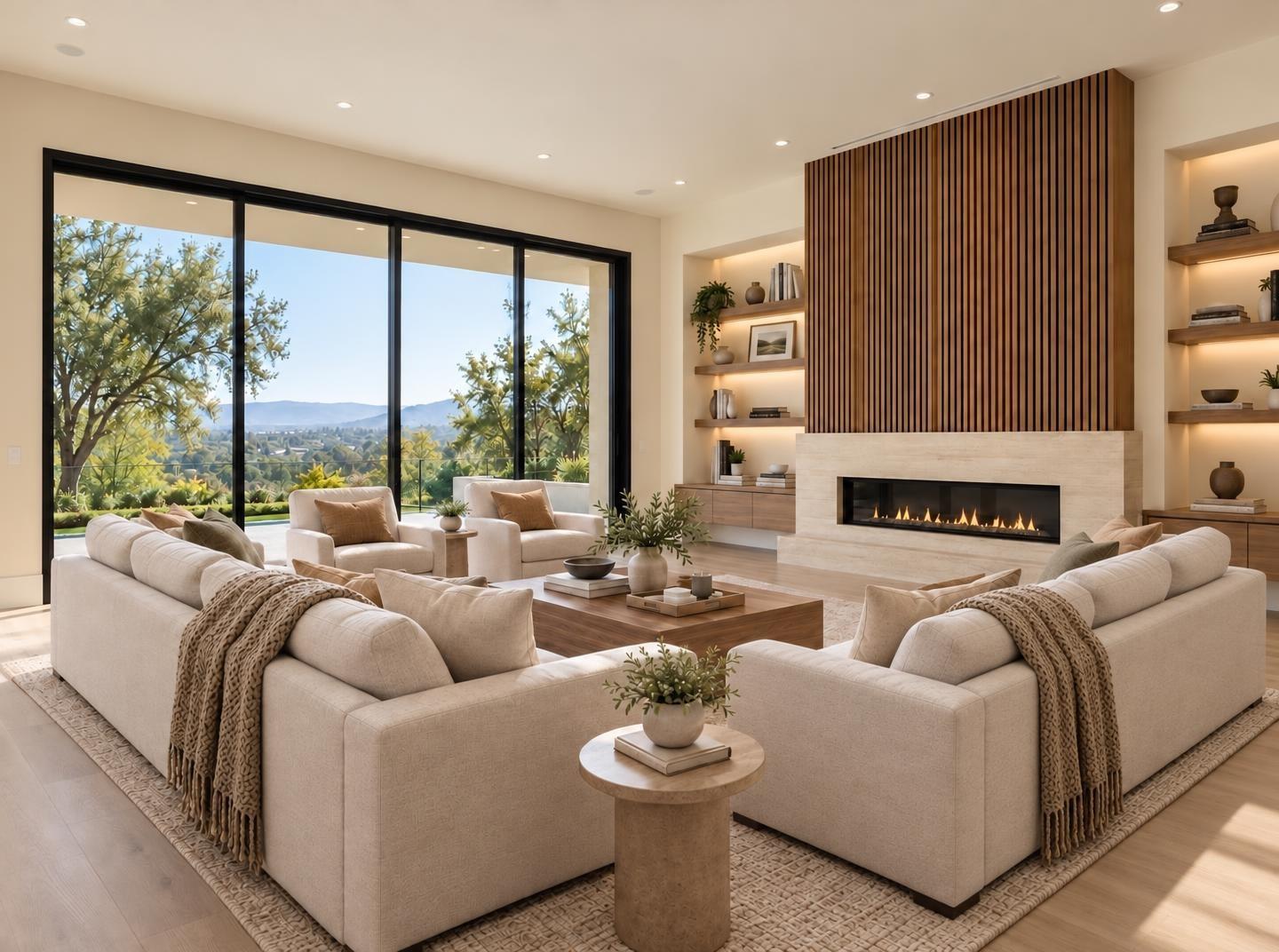
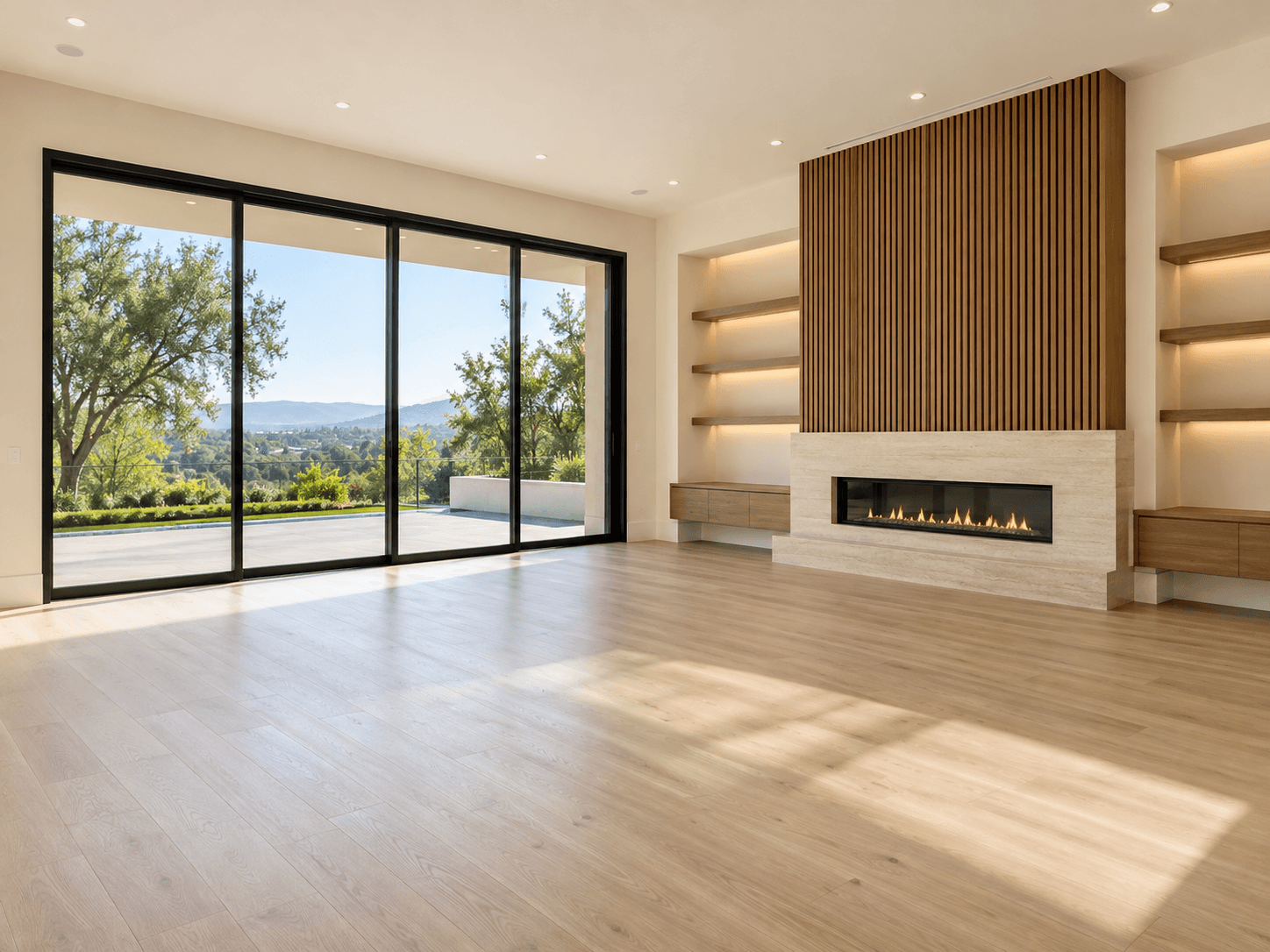
Virtually staged
Virtually staged
Virtually staged
Virtually staged
The problem
You know the listing is good. The photos have to show it.
Bare floors and blank walls don't show how big a room feels or what a buyer could do with it.
Hiring a stager, renting furniture and booking delivery eats into your budget, and the listing waits while it all gets arranged.
Mismatched furniture and styles from room to room, or from one angle of the same room to the next, make a listing feel unfinished.
How it works
Create a project and add a clear, well-lit photo of the room.
Tell us what the room is and pick the look you want, from Scandinavian to Luxury.
Slide between the original and the staged version, then download it for your listing.
No credit card. Credits never expire.
Built for real listings
Group photos of the same room. The first staged photo becomes the Reference, and the other photos in the group are matched to it.
Furniture and style that change from one angle to the next make a listing feel unfinished.
Every angle looks like the same room, so the whole listing feels cohesive.
Restage a photo, or edit a result by describing a change or marking the area you want different. Restagings and Edits are free; only an original staging costs a Credit.
The first result is a starting point, and you shouldn’t have to watch your balance while you adjust it.
You get a result you’re happy to use without paying again for every change.
Remove the furniture already in a photo, then stage the empty room.
Existing furniture gets in the way of the new look.
Furnished and cluttered rooms are usable too, not just empty ones.
Projects, photos and staged results are stored privately in your account, and downloads use temporary signed links.
Listing photos are your client’s business until you choose to share them.
Your photos aren’t public, and you decide who gets a copy.
Staged images should always be identified as virtually staged. Switch on a project’s “Virtually staged” setting and every download carries the label.
Maisonoble is also for homeowners, property managers and designers.
Pricing
Start with 3 free stagings, then choose a plan or buy Credits only when you need them.
A little room to explore.
$1.55per credit
$23.20 / mo USD billed yearly
180 credits / year
For your next collection of spaces.
$0.94per credit
$47.20 / mo USD billed yearly
600 credits / year
More possibilities for every property.
$0.69per credit
$103.20 / mo USD billed yearly
1,800 credits / year
Only an original staging uses a credit. Restagings and edits are free. Per-credit prices are rounded to the nearest cent.
Payments are processed securely by Stripe.
Room to explore
Create an account, upload a photo, and give your space a new perspective.
3 free stagings. No credit card. Credits never expire.
A few details
Maisonoble supports living room, bedroom, kitchen, dining room, bathroom, home office, living + dining, living + bedroom, outdoor, kids room, home theater, balcony photos. Choose from Modern, Scandinavian, Mid-Century, Luxury, Farmhouse, Coastal, Industrial, Transitional styles to guide your result.
Use a clear, well-lit photo of your room. Maisonoble accepts still JPEG, PNG, and WebP images up to 20 MiB and 9 megapixels. A photo that shows the room’s layout gives your idea a useful starting point.
Each verified account starts with three free stagings, no credit card needed, and those credits never expire. Only an original staging costs one credit; restagings and edits are free. If a staging fails, its credit is returned, and your remaining credits are always shown in your workspace.
Choose a plan, which grants credits each paid period, or buy a credit pack. Pack credits never expire, while plan credits expire at the end of the paid period.
Your projects, uploaded photos, and staged images are stored privately in your account. Image access and downloads use temporary signed links. Anyone you share a downloaded image with will have their own copy.
Yes. You can remove the furniture already in a photo first, then stage the empty room.
Treat virtual staging as a visual concept, not a measured design or a guarantee that furnishings will fit. AI can change details or introduce inaccuracies, so review every result against your original. Clearly identify virtually staged images when sharing them.